SaiMetro PinkStudio · Pune

Upgrade · Make it yours

Android car stereos in Pune, with wireless CarPlay and specs you can check

An Android car stereo replaces your factory head unit with a touchscreen that runs maps and music, and connects your phone through wireless Apple CarPlay or Android Auto. Steering controls, a mic and cameras are wired in. It suits cars with basic audio or an outdated screen. A typical install takes 3–5 hours, longer with a 360° camera. We fit them at our PinkStudio in Mangalwar Peth, Pune.

Updated

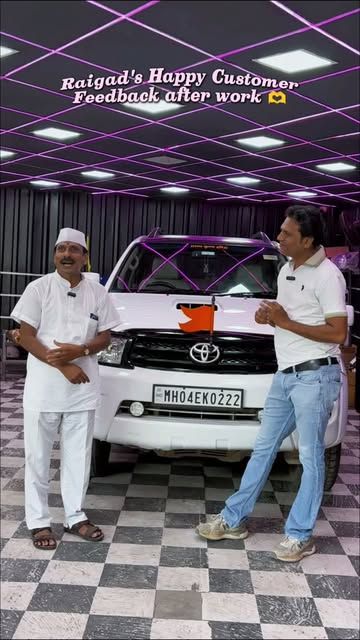
Toyota Fortuner — happy customer from Raigad
Typical install
3–5 hours; a 360° camera can take most of a day
RAM we suggest
4GB or more if you'll run apps on the unit
Wiring
Model-specific harness, plus a CANbus decoder where needed
Phone link
Wireless or wired CarPlay and Android Auto
Where
PinkStudio, Mangalwar Peth, Pune

Why it’s worth it

  • 01

    Wireless CarPlay and Android Auto

    Your phone connects on its own when you start the car. Maps, calls and music appear on the big screen without a cable.

  • 02

    Steering buttons that still work

    A CANbus decoder or steering interface keeps volume, track and call buttons working, and on many cars the reverse trigger too.

  • 03

    Parking cameras that help

    A reverse camera, or a 360° view stitched from four cameras, makes tight peth lanes and basement parking far easier.

  • 04

    A fit that looks factory

    A frame and fascia made for your model, so the screen sits flush with no gaps or loose trim.

  • 05

    Specs you can verify

    Ask to see the unit powered up and checked before it goes into your dash, so you judge it on the bench rather than after fitting. We are happy to do that with you.

What does an Android stereo add to your car?

An Android head unit is a tablet-style computer built into your dash. It runs maps, music apps and radio on its own, and it also mirrors your phone through Apple CarPlay or Android Auto. For a Dzire, an older Thar or any car with basic audio, it is one of the most useful upgrades for daily driving: navigation on a big screen, hands-free calls through a proper mic, and a camera when you reverse into a tight spot in the peths.

The screen is only half the job. What sits behind the dash decides whether it feels factory-fitted or never quite works.

2GB vs 4GB vs 8GB: how much RAM do you need?

RAM is what keeps the unit smooth when maps, music and a camera run together. Treat these as a rule of thumb, and only for genuine specs:

RAM / storageHandles wellStruggles withSuits
2GB / 32GBPhone projection (CarPlay or Android Auto), radio, a reverse cameraMaps plus music on the unit at once; app updates over timeOwners who mainly use their phone
4GB / 64GBNavigation and music on the unit together, wireless projection, reverse cameraVery heavy multitasking with a 360° cameraMost owners; the sensible floor
8GB / 128GB360° camera, several apps at once, smoother over the yearsLittle, if the processor is good360° camera users and heavy users

Storage matters less than RAM, but 32GB fills up quickly once maps are downloaded for offline use.

What screen size fits your dash?

Most Indian cars take a 9-inch or 10-inch unit in a model-specific frame. Bigger isn’t always better: a screen that overhangs the AC vents or blocks controls is a daily annoyance. Look at the panel as well as the size. An IPS or QLED panel with at least 1280×720 resolution stays readable in harsh afternoon sun. Many budget units still use 1024×600 panels, which look grainy, especially with a camera feed.

How do you spot a fake-spec Android unit?

This is the biggest trap in the market. Team-BHP members have documented units where:

  • 1GB of RAM was shown as 2GB in the settings;
  • an Android 6 system was relabelled as a newer version;
  • doctored firmware made popular apps such as CPU-Z and AIDA64 report the fake numbers, until a less common test app failed the RAM check.

Here is how to protect yourself:

  • Ask for the processor name, not just “octa-core”.
  • Don’t rely on the settings screen or the box.
  • Run a real test: maps and music together, then switch apps. Lag on a “4GB” unit is a warning sign.
  • Buy from someone who’ll stand behind it, and check the unit on the bench before it is fitted. Ask us to do that with you at the studio.

What matters behind the dash?

PartWhat it doesSkip it and…
Model-specific harnessPlugs into the factory connectorsFactory wires get cut
CANbus decoderTalks to your car’s network for steering buttons, reverse signal and on some cars door or AC infoSteering buttons and auto reverse view may not work
Fascia and frameFits the screen to your dash shapeGaps, rattles, a screen that looks stuck on
Camera inputs (AHD or standard)Must match the cameras you chooseA blurry or blank camera picture
External micPlaced near your head for callsCallers hear road noise

If your car has a factory amplifier or premium sound, it may need an extra adapter. We check this for your variant before quoting.

Can the car go back to its factory stereo?

It should, if the install is clean. That means a plug-in harness, no cut factory wires, fused connections and wiring routed where it can’t chafe. Keep your original stereo safely at home: it can go back in before a dealer warranty visit or a sale, and a buyer who prefers the stock look gets it. The Android unit’s own warranty depends on the brand you choose, and we explain the maker’s terms before fitting. If you’re also adding a dashcam, it can share the same visit and the same tidy wiring routes.

Ready to book?

Tell us your car’s model, year and variant on WhatsApp, and what you want most: wireless CarPlay, navigation, cameras or sound. We’ll suggest a unit whose specs you can check on the bench, and quote for the full install at the PinkStudio in Mangalwar Peth.
How we do it

  1. 01

    Tell us your car and your needs

    Model, year and variant, plus what matters to you: wireless CarPlay, navigation on the unit, cameras or better sound.

  2. 02

    Choose the unit

    We match RAM, storage, screen size and camera inputs to how you'll use it, and explain the maker's warranty terms.

  3. 03

    Check the real specs

    Before fitting, we look up the processor, run an independent hardware-test app and try maps with music together, to spot lag or a fake spec early.

  4. 04

    Fit with the right harness

    A plug-in harness for your model where one exists, the CANbus decoder if your car needs it, and a fascia that matches.

  5. 05

    Wire mic and cameras

    The mic goes near your head for clear calls. Cameras are routed inside trims, and a 360° kit is calibrated on a mat.

  6. 06

    Set up and hand over

    We pair your phone, set up wireless projection, map the steering buttons and show you around the screen.

Frequently asked

2GB vs 4GB Android stereo: which should I buy?

If you'll mainly use wireless CarPlay or Android Auto from your phone, a genuine 2GB unit can do the job. If you want navigation, music apps or a dashcam running on the unit itself, treat 4GB as the minimum. For a 360° camera and heavy multitasking, 8GB stays smoother over the years.

Can I get wireless CarPlay or Android Auto in an older car?

Yes. Many Android head units support wireless CarPlay and Android Auto. Wireless Android Auto needs a phone on Android 11 or later with 5GHz Wi-Fi, which covers most phones sold in the last few years, and the unit must support it too. Ask us to confirm on the exact unit before you buy.

How do I know an Android stereo isn't fake-spec?

Don't trust the settings screen alone. Owners on Team-BHP have documented units with 1GB RAM shown as 2GB and older Android versions relabelled as newer ones, and doctored firmware can fool popular apps like CPU-Z. Ask for the processor name, test with an independent tool, and run maps and music together to feel for lag.

Will my steering wheel buttons still work?

On most cars, yes, with the right CANbus decoder or steering interface for your model. Some cars also send reverse, door and AC information over CANbus. We confirm what will carry over before you buy.

Will an Android stereo void my car's warranty?

We won't promise it can't affect anything. Your carmaker's warranty is between you and the dealer, and the dealer can question an electrical fault they trace to aftermarket wiring. If your car is still under warranty, ask your dealer before you buy, and keep the original stereo so it can go back in.

Can you add a 360° camera?

On most cars, yes. A 360° kit uses four cameras: front grille, under each mirror and the rear. The unit must support the camera format and have enough RAM. Calibration on a mat stitches the four views into one top-down picture.

My car already has a touchscreen. Should I replace it?

Often not. If your factory screen already supports wired CarPlay or Android Auto, a small wireless adapter is usually the simpler and cheaper route. A full Android unit makes more sense when the car has basic audio or an old screen with no phone projection.

How much does an Android stereo cost in Pune?

It depends on RAM, screen size, cameras and what your car needs behind the dash. Message us your car model and year on WhatsApp for an exact quote. Or as people ask us, *gadi madhe Android system basvayla kiti kharch yeto?*

Ready when you are.

Send your car model on WhatsApp. We'll reply with options, timing and a quote.